

SkyraFi
How it works

Add. Inspect. Choose. Review.

Four calm steps from scattered numbers to a plan you can check. Each step saves as you go, so you can stop and pick up later.

01

Add information

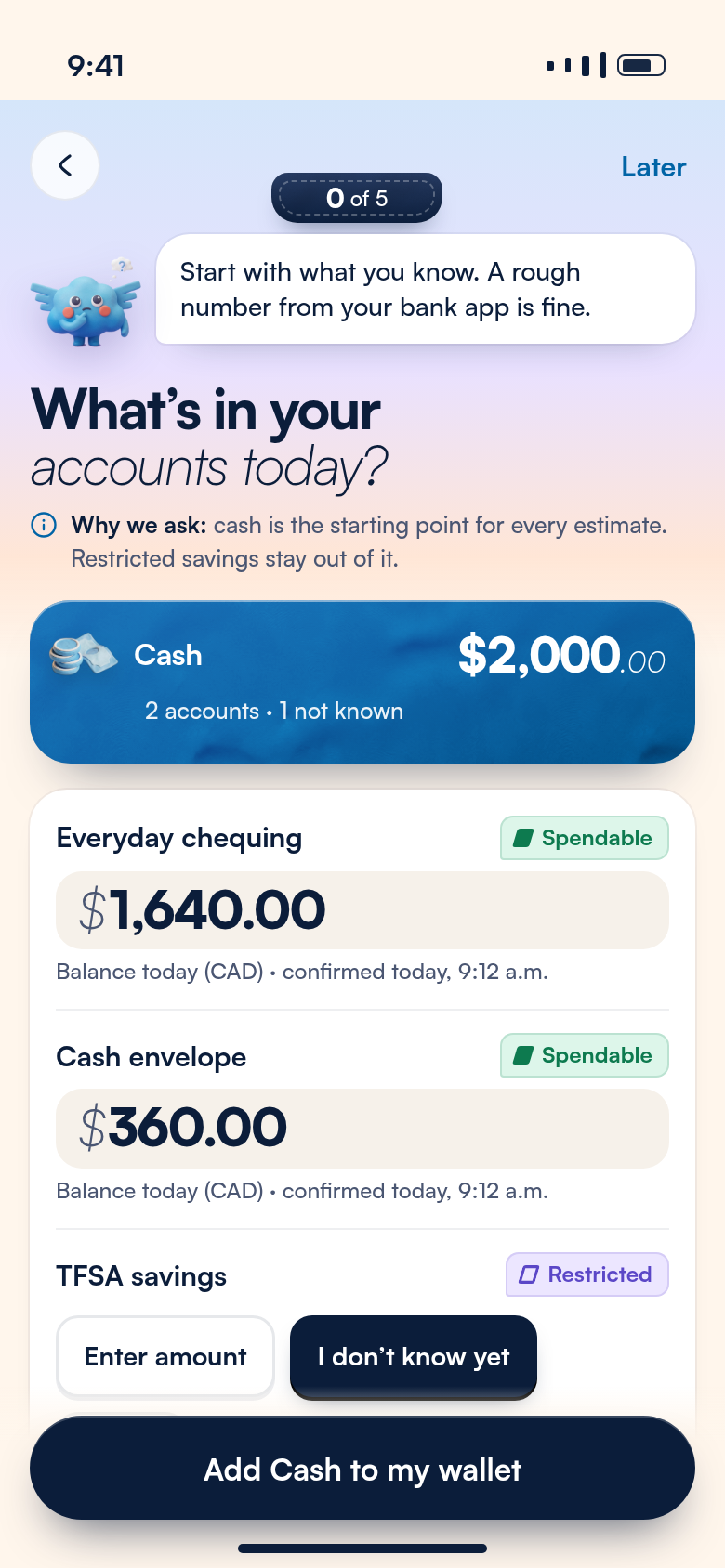
Start with what you know. Leave the rest marked unknown.

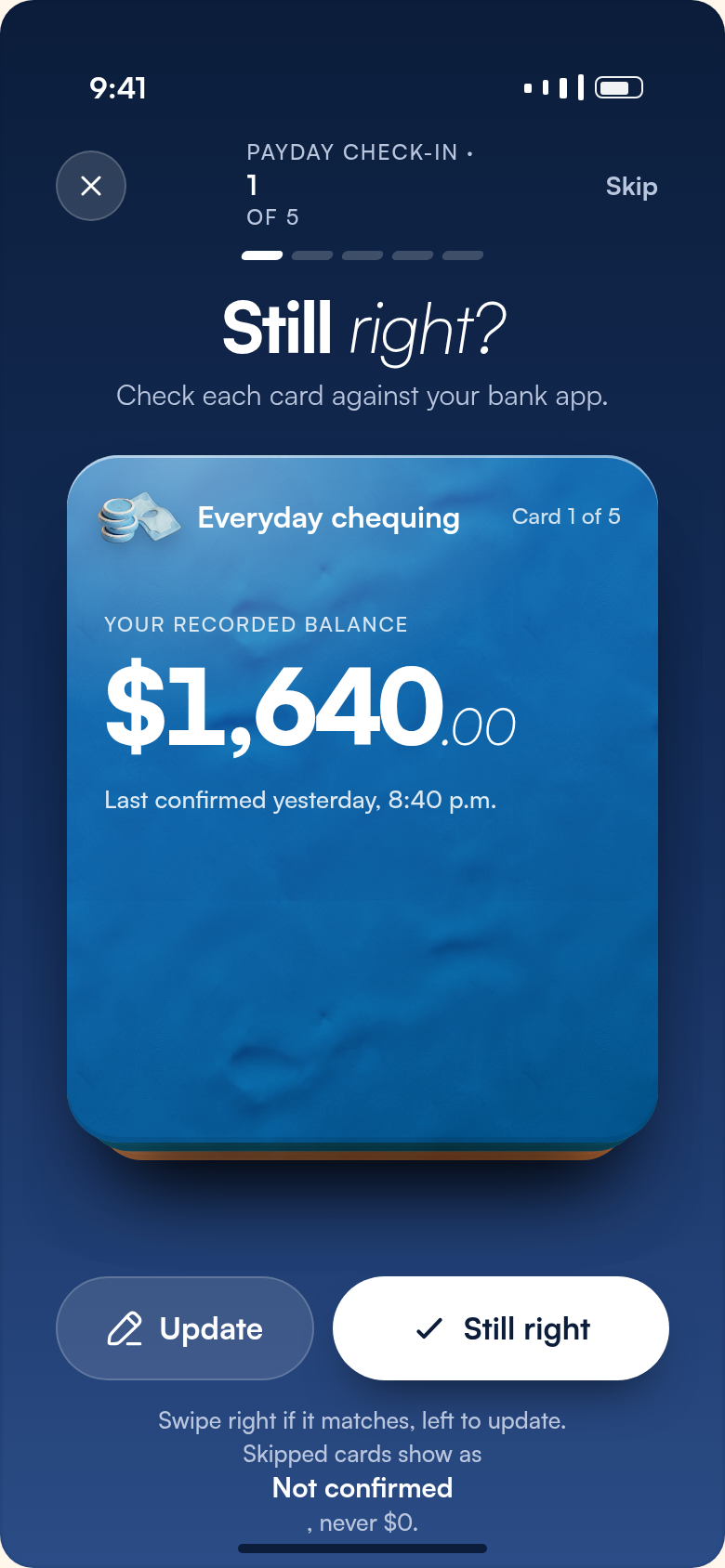
  • Accounts and balances, with the date you confirmed each one.
  • Your next income: date, amount, how often, and how sure you are. “Not known” is allowed.
  • Bills and commitments before payday, then confirm the list is complete, or say it isn’t.
  • Debts, with rates if you know them. Unknown rates stay unknown, never 0%.
Example data.
SkyraFi app screen for Add information, example data
02

Inspect

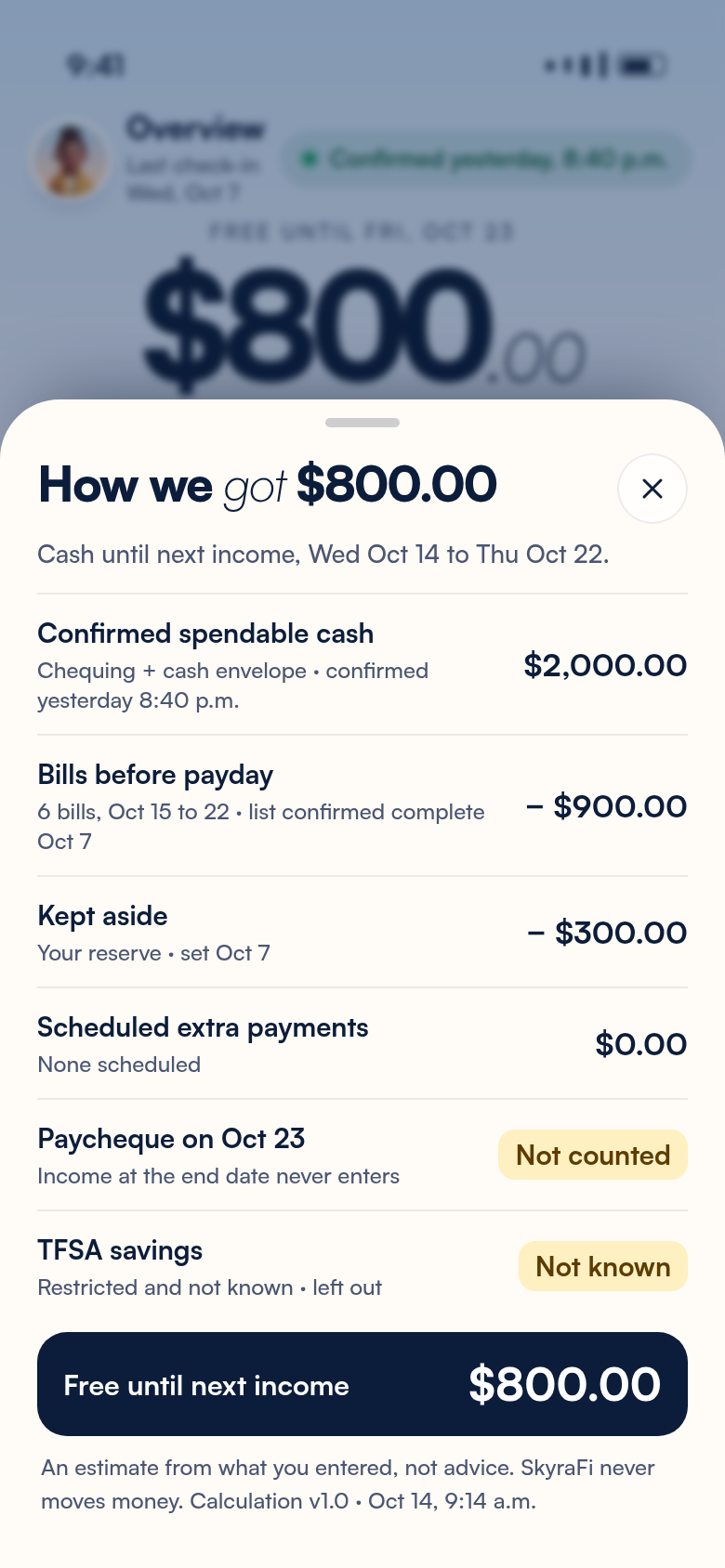
See what’s left until your next income, and exactly why.

  • Cash until next income: confirmed cash minus bills and minimums due before payday, minus the reserve you chose.
  • Your next paycheque is never counted early.
  • Every number opens to its lines, dates and calculation version.
  • Missing or stale inputs pause the estimate, with the reason, instead of guessing.
Example data.
SkyraFi app screen for Inspect, example data
03

Choose an action

Save one practical next step. Nothing executes.

  • A monthly budget built from your income and essentials.
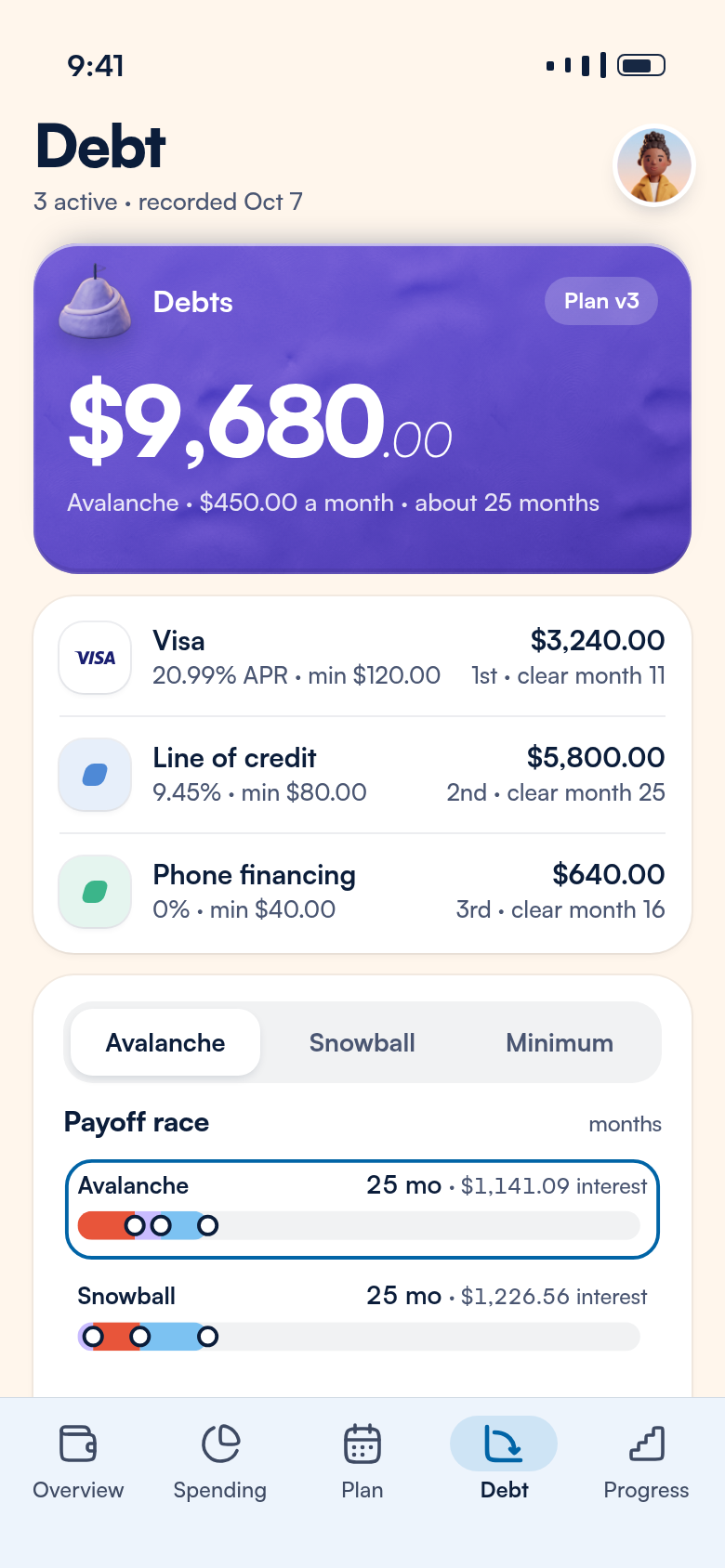
  • A debt strategy: snowball, avalanche or minimums only, compared side by side.
  • A savings goal or cash buffer if you have little or no debt.
  • Saving a plan never makes a payment or moves money.
Example data.
SkyraFi app screen for Choose an action, example data
04

Review on payday

Come back on the day you choose and see what really changed.

  • Confirm balances and mark what’s been paid.
  • Recorded changes and projections stay visibly separate.
  • If your inputs change, your saved plan is flagged for review, never silently rewritten.
  • Reminders are optional, with quiet hours and no amounts on your lock screen.
Example data.
SkyraFi app screen for Review on payday, example data

We never move your money. You stay in charge of every step.

SkyraFi product principle
Try it · debt race

Same debts. Three ways to pay them down.

Slide the monthly budget and switch strategy. Example debts only; nothing is saved.

Example data.
Phone financing · 0%$640.00 · min $40
Visa · 20.99%$3,240.00 · min $120
Line of credit · 9.45%$5,800.00 · min $80
$450
Avalanche · highest rate first…
Snowball · smallest balance first…
Minimums only · baseline…

Assumptions: monthly periods; fixed nominal rates divided by 12; fixed minimums; constant budget; no fees, new borrowing or promotional-rate changes. Minimums-only spends $240.00 a month, so it isn’t an equal-spend comparison. An illustration, not advice; SkyraFi never makes these payments.

Boundaries

What SkyraFi won’t do.

Some things are out of scope on purpose. Plans you save are plans, not instructions.

Move moneyNo transfers, payments or automatic saving.
Lend or offer creditNo loans, credit checks or lender matching.
Invest for youNo trading or investment execution.
Share with lendersYour data isn’t shared with lenders.

Bank connection: SkyraFi is manual-first. A read-only connection is being evaluated; if it ships it will be optional, and the app stays fully useful without it.

See your money clearly.

Join the waitlist in under a minute. Invitations go out in small groups across Ontario.

Join the waitlist